01
Overwhelm → clear next step
Plan in seconds.
Click Stoiq anytime to add or manage to-dos. Type or talk through what’s on your mind, and he organizes it into a clear next step.
The focus companion that helps you get your attention back—on Mac and iPhone.
He helps you plan, stay focused, and come back when you drift. Every focused minute earns Pinecones to grow your world.
Try 14 days free — or start now and get your Pinecones today.
What he’s for
He plans work with you, holds your focus blocks, and pulls you back when the feed grabs you.
Click Stoiq anytime to add or manage to-dos. Type or talk through what’s on your mind, and he organizes it into a clear next step.
Choose the apps and websites to block on Mac and iPhone. Stoiq keeps your task visible and blocks distractions on both screens while you work.
Every focused minute earns a Pinecone. Use them to collect new plants, then let your focus bring the whole garden to life.
Lives on your desktop
Drag Stoiq to anywhere on your desktop. He stays small and quiet, keeps the work you chose in view, and watches over the focus block with you — without reading what you write.
Click Stoiq anytime to add new to-dos or track current ones.
Pick the apps and websites that tend to pull you away.
Your current intention is always one glance away.
Stoiq climbs in before the scroll and helps you choose: return or continue intentionally.
WHEN THE FEED PULLS YOU AWAY
Open a site you chose to block and Stoiq interrupts the scroll before it eats the afternoon—then puts the exact next move you chose back in front of you.
You choose what gets blocked. Stoiq remembers what you meant to do.See how Stoiq blocks distractionsYou’re mid-way through Finish the econ essay — next: write the intro paragraph
This feed is outside the thread you chose to protect.
You’re mid-way through Finish the econ essay — next: write the intro paragraph
This feed is outside the thread you chose to protect.
You’re mid-way through Finish the econ essay — next: write the intro paragraph
This feed is outside the thread you chose to protect.
Focus that leaves something behind
Every active focus minute earns one Pinecone. Use them to collect exotic plants, arrange them on your desktop, and watch your garden become more yours over time.
See rewards and customization
Earn them by focusing. Keep them until something feels worth bringing home.
Exchange Pinecones for rare desktop plants. Keep focusing, and watch each one grow.
Start with your welcome Monstera. Collect sunflowers, cacti, bonsai, and more—then arrange a garden that feels like yours.
YOUR GARDEN




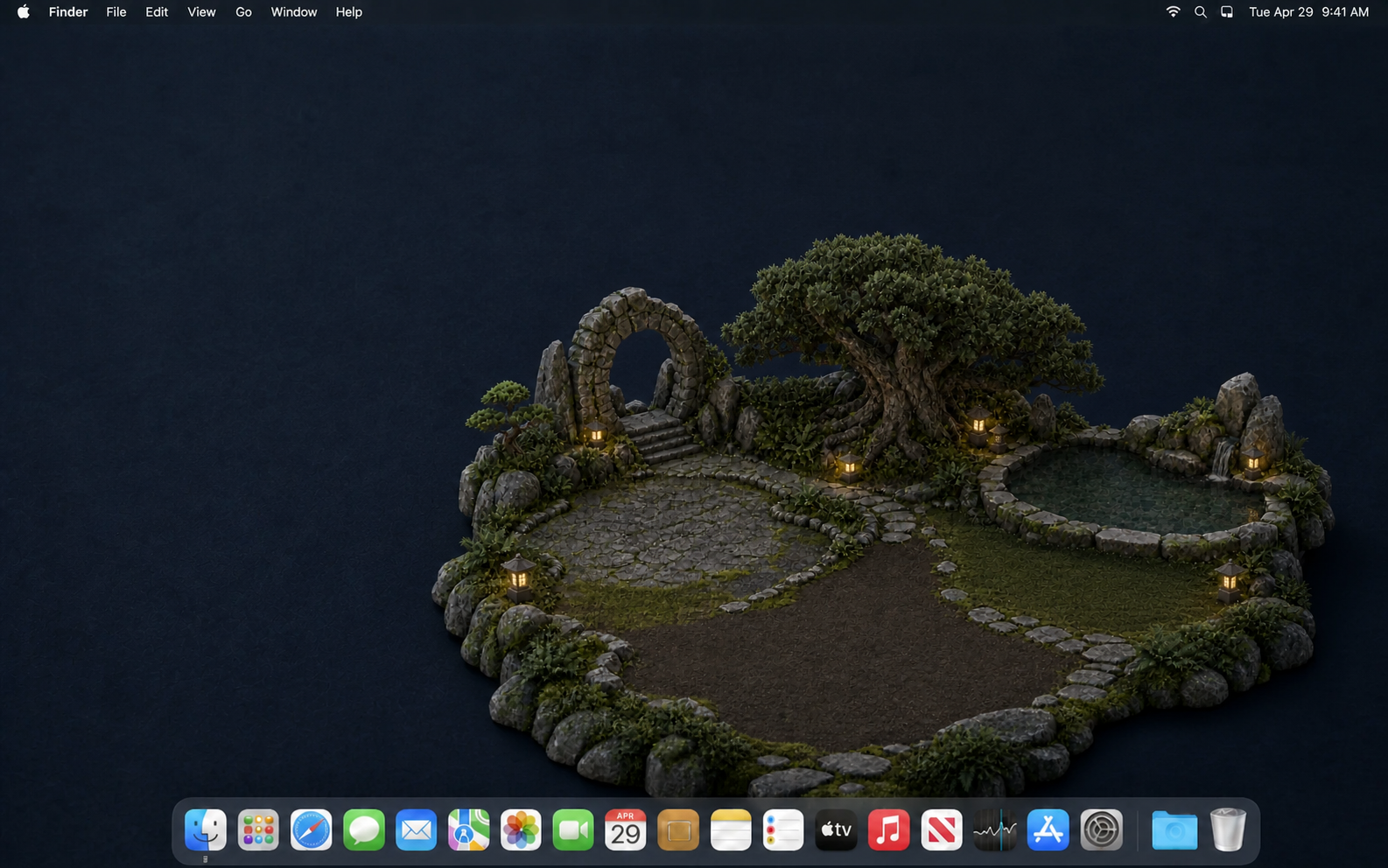
Choose a plant for your garden. Stoiq brings it home, and focused work moves it through new growth stages over time.
Stoiq on iPhone
Start on your Mac or iPhone. Stoiq keeps the same intention and timer in step, then shields distracting apps and sites on whichever screen you reach for next.
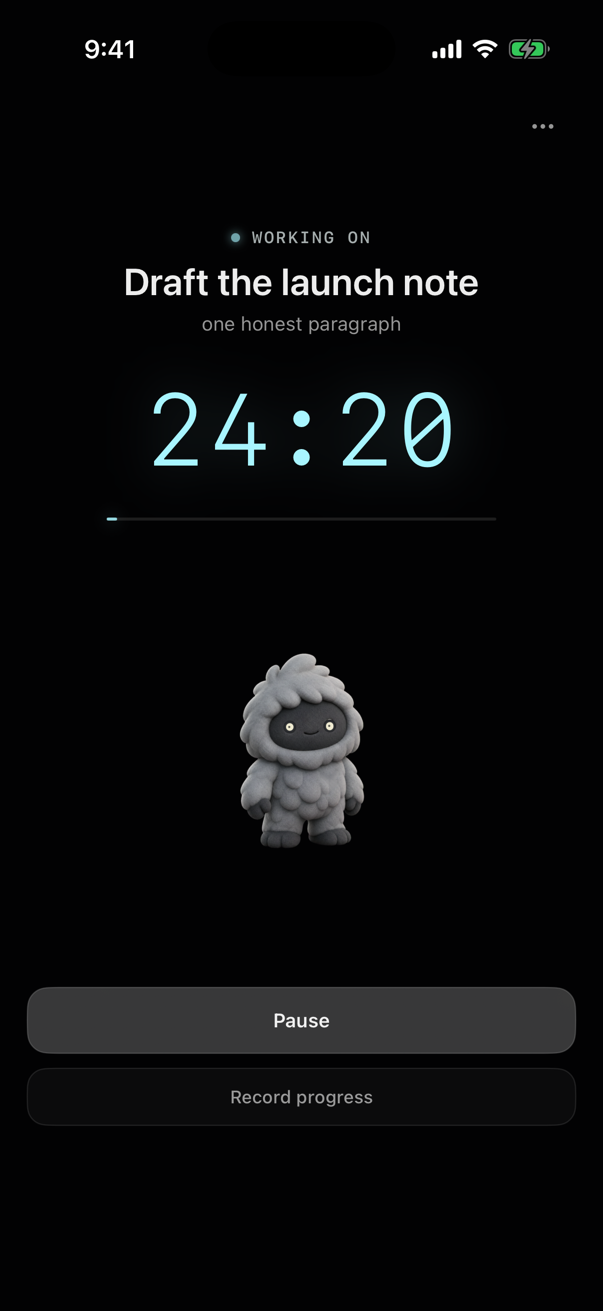
Step 01, out loud
Press the mic and ramble. Stoiq sorts it into to-dos and hands them back one at a time. Nothing leaves your Mac or gets added without your say-so.
See planning and resumeStoiq for Mac and iOS · brain dump

Lives on your desktop
Stoiq stays small at the edge of your screen while you work. He wanders by occasionally, reacts to you, and only steps in when a nudge can save the time you meant to protect.
Behavioral psychology, made useful
Stoiq is built on research-informed behavioral psychology. Instead of asking for more willpower, he shapes the small decisions around focused work—what you begin with, what happens when distraction appears, and what follows genuine progress.
Turn “work on it” into one physical next move before the timer starts.
A gentle pause interrupts the reflex without pretending every detour is wrong.
Focused work becomes something visible. Opening the app and maintaining a streak do not.
No shame. No broken streaks. No punishment for stepping away.
Choose your plan
Every plan includes Stoiq on Mac and iPhone.
Loading today’s plans…
14-day trial available on subscriptions · 30-day refund · Secure Stripe checkout
Compare every detail →Quiet by default
When you’re making progress, he gets quiet. When you lose your place, he can nudge, wave, climb onto the screen, or simply hold your next step until you’re ready.
He walks in, then climbs up beside your work.
Private by design
No keystrokes, no screenshots, no reading your messages or pages. He only sees what you choose to share: the sites you shield and the work you tell him about.
Zero nagging
Snooze him, change the plan, or ask for quiet — he listens. Getting distracted isn’t a failure; he just makes coming back easy.
No new productivity system.
No dashboard to babysit.
Choose your companion
Stoiq launches first. Ember and Jimothy are coming soon. Each one shares the same instincts — plan with you, catch the scroll, and celebrate when you finish. The only difference is the vibe.

Steady, gentle, and quietly determined.

Bright, curious, and extra ready to celebrate.

Odd, observant, and completely unbothered.
Mac + iOS · Ready when you are
Meet the tiny yeti who helps you begin, protects the work you care about, and brings you back before distraction takes the rest of the afternoon.
Monthly, annual, and Day Ones lifetime options · 30-day full refund